
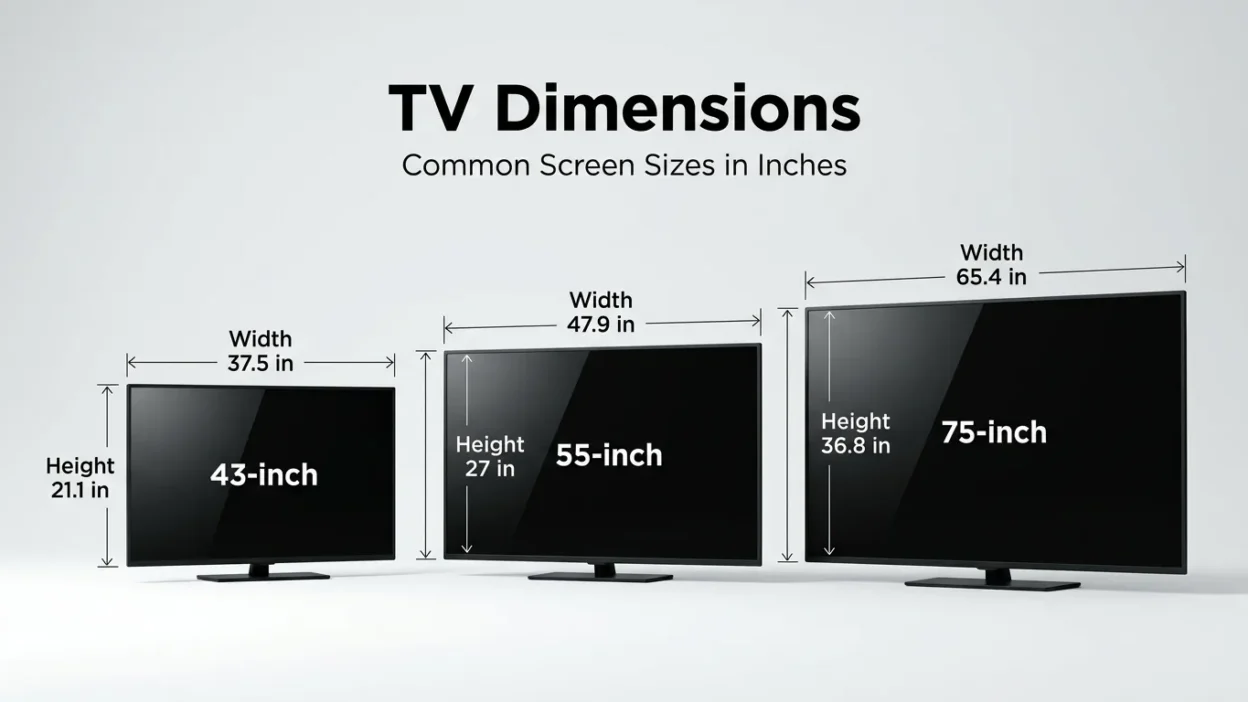
A television can look much smaller in a product photo than it does on your living-room wall. The reason is simple: a TV’s advertised size measures the screen diagonally, not from left to right. That difference matters when you’re choosing a TV stand, planning a wall mount, or checking whether a screen will fit between shelves.
For example, a typical 55-inch TV with a 16:9 widescreen display has a screen about 47.9 inches wide and 27 inches tall. That’s nearly four feet across, even though the advertised measurement is 55 inches.
TV dimensions depend on the diagonal screen size, aspect ratio, frame, and stand. A 55-inch widescreen TV has an approximate screen width of 3.99 feet and height of 2.25 feet, equivalent to 121.9 cm wide and 68.6 cm tall.
This guide covers common TV dimensions in inches, feet, centimeters, millimeters, and meters. You’ll also find practical comparisons to help you picture different screen sizes and estimate how much room a television needs.
Common TV Dimensions in Every Useful Unit
TV sizes are generally advertised by the diagonal length of the visible screen. If you’re checking whether a model will fit your furniture, its width and height are more useful than the diagonal alone.
The following measurements use the common 16:9 widescreen format. They describe the screen area only, excluding the frame, stand, and other parts of the television.
| Advertised TV size | Screen width (inches) | Screen height (inches) | Width (feet) | Height (feet) | Width (cm) | Height (cm) |
|---|---|---|---|---|---|---|
| 32-inch TV | 27.9 | 15.7 | 2.33 | 1.31 | 70.9 | 39.8 |
| 40-inch TV | 34.9 | 19.6 | 2.91 | 1.63 | 88.6 | 49.8 |
| 43-inch TV | 37.5 | 21.1 | 3.13 | 1.76 | 95.2 | 53.5 |
| 50-inch TV | 43.6 | 24.5 | 3.63 | 2.04 | 110.7 | 62.3 |
| 55-inch TV | 47.9 | 27.0 | 3.99 | 2.25 | 121.9 | 68.6 |
| 60-inch TV | 52.3 | 29.4 | 4.36 | 2.45 | 132.8 | 74.7 |
| 65-inch TV | 56.7 | 31.9 | 4.73 | 2.66 | 144.0 | 81.0 |
| 70-inch TV | 61.0 | 34.3 | 5.08 | 2.86 | 154.9 | 87.1 |
| 75-inch TV | 65.4 | 36.8 | 5.45 | 3.07 | 166.0 | 93.4 |
| 85-inch TV | 74.1 | 41.7 | 6.18 | 3.48 | 188.2 | 105.9 |
TV Dimensions in Millimeters and Meters
Metric measurements can make it easier to compare a television with furniture or a wall measured in centimeters.
| TV size | Width (mm) | Height (mm) | Width (m) | Height (m) |
|---|---|---|---|---|
| 43-inch | 952 | 535 | 0.95 | 0.54 |
| 55-inch | 1,219 | 686 | 1.22 | 0.69 |
| 65-inch | 1,440 | 810 | 1.44 | 0.81 |
| 75-inch | 1,660 | 934 | 1.66 | 0.93 |
| 85-inch | 1,882 | 1,059 | 1.88 | 1.06 |
How Are TV Dimensions Calculated?
A TV’s diagonal runs from one corner of the visible screen to the opposite corner. For a 16:9 display, you can estimate its screen width and height with these formulas:
- Width: diagonal × 16 ÷ √337
- Height: diagonal × 9 ÷ √337
For common unit conversions:
- Inches ÷ 12 = feet
- Inches × 2.54 = centimeters
- Inches × 25.4 = millimeters
- Inches × 0.0254 = meters
These formulas estimate the visible screen, not the television’s full outside dimensions. The bezel can add a little width or height, and the stand may add substantial height and depth. Before buying a wall mount or cabinet, check the exact model’s product specifications.
How TV Screen Sizes Compare
A larger television grows in both width and height, not just diagonal length. The following examples help show how different screen sizes fit into everyday spaces.
32-Inch TV
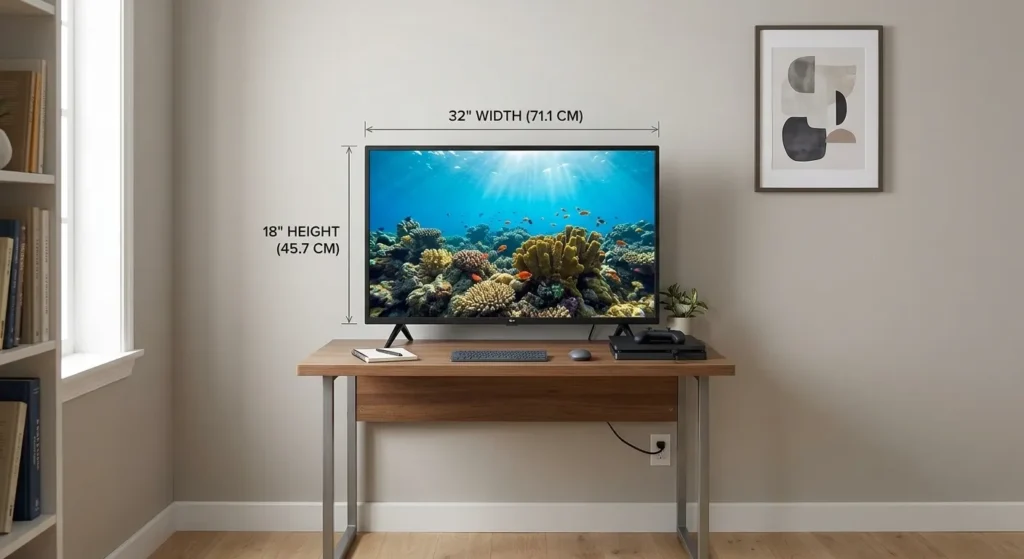
A 32-inch widescreen TV has a screen approximately 27.9 inches wide and 15.7 inches tall. Its compact size can work well on a desk, bedroom cabinet, or small entertainment unit.
43-Inch TV
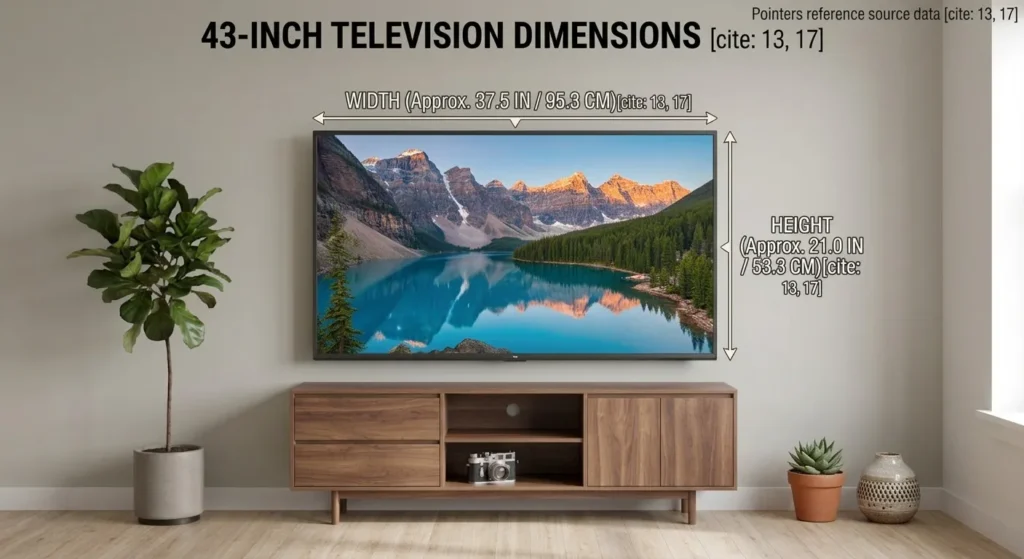
A 43-inch TV screen measures about 37.5 inches wide and 21.1 inches tall. It provides a noticeably larger picture than a 32-inch model without taking up as much wall space as a large living-room television.
55-Inch TV
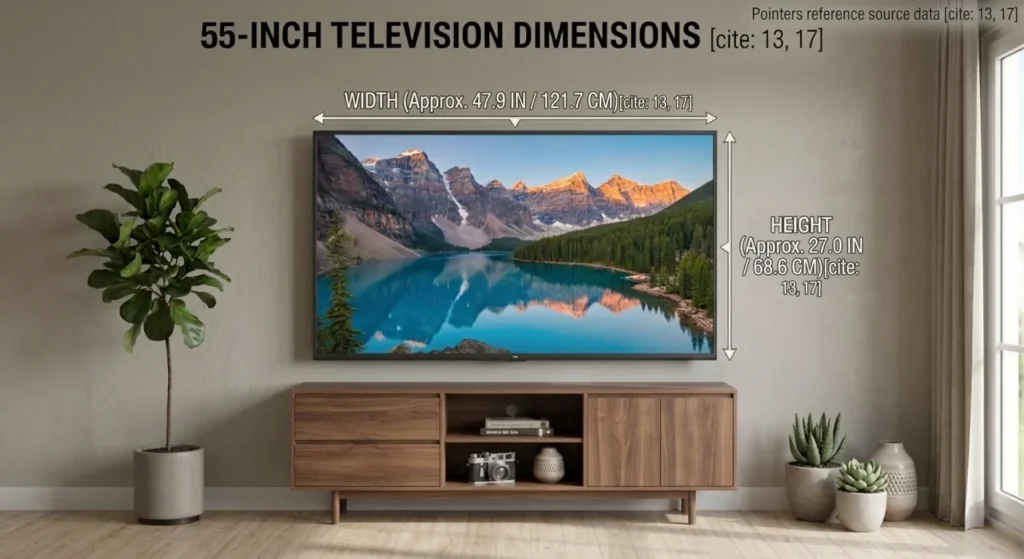
A 55-inch TV has a screen roughly 47.9 inches wide and 27 inches tall. Its width is almost four feet, making it a useful size to plan around when choosing furniture or arranging a media wall.
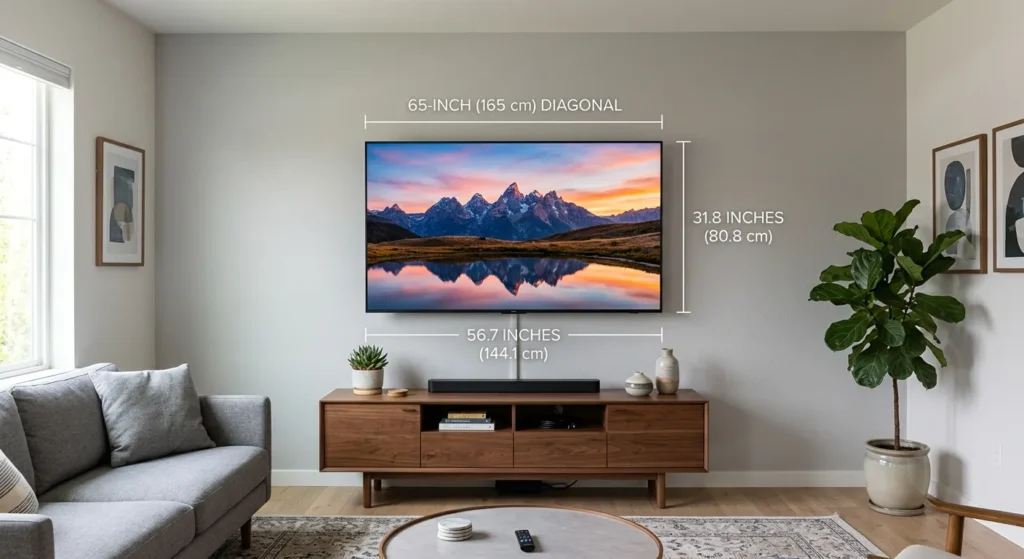
65-Inch TV
A 65-inch TV screen measures about 56.7 inches wide and 31.9 inches tall. Compared with a 55-inch screen, it is almost nine inches wider and five inches taller.
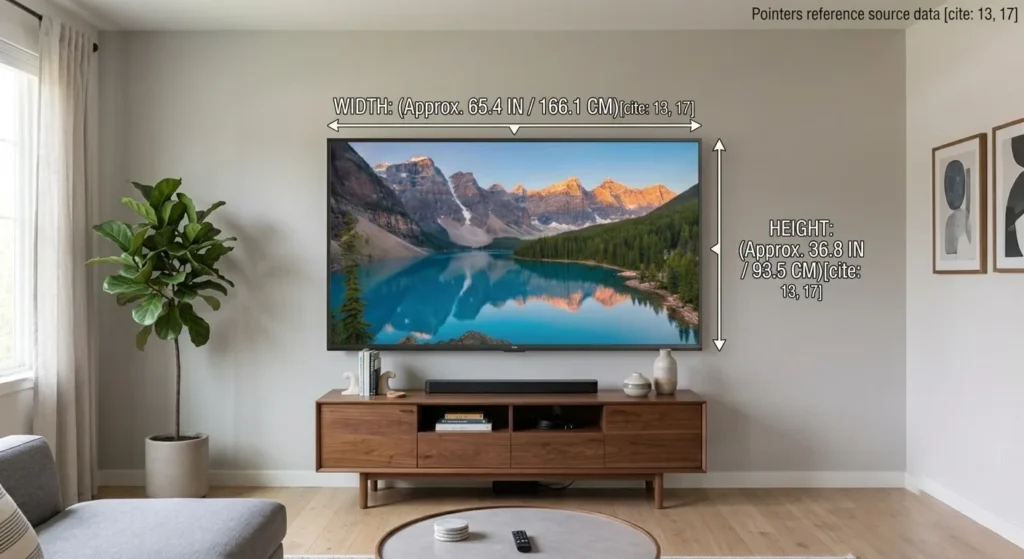
75-Inch TV
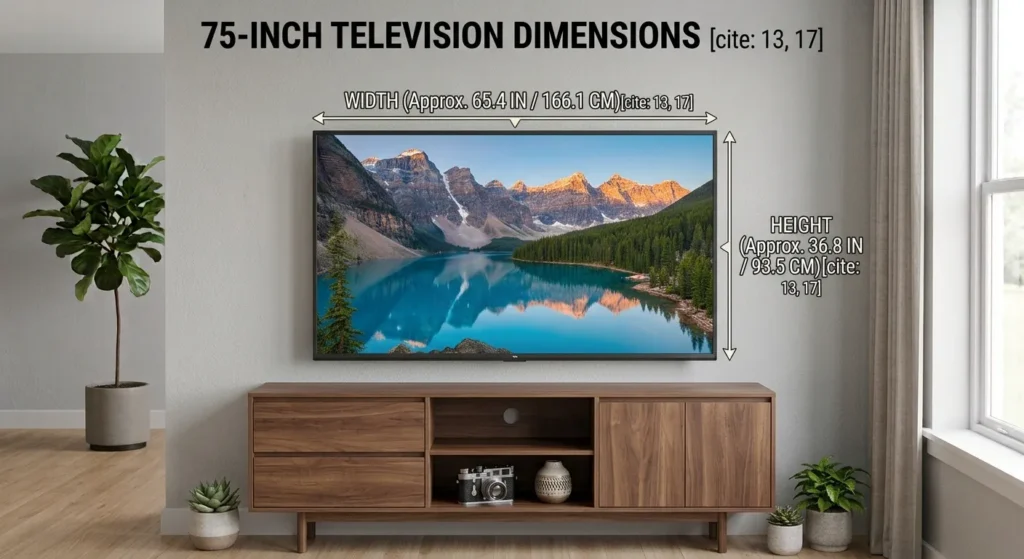
A 75-inch TV has a screen approximately 65.4 inches wide and 36.8 inches tall. It is more than five feet wide, so checking the available wall and cabinet width is especially important.
12 Everyday Ways to Visualize TV Dimensions
The easiest way to picture a TV is to compare it with objects you already know. The examples below use a 55-inch screen—approximately 47.9 inches wide and 27 inches tall—as the main reference unless another size is specified.
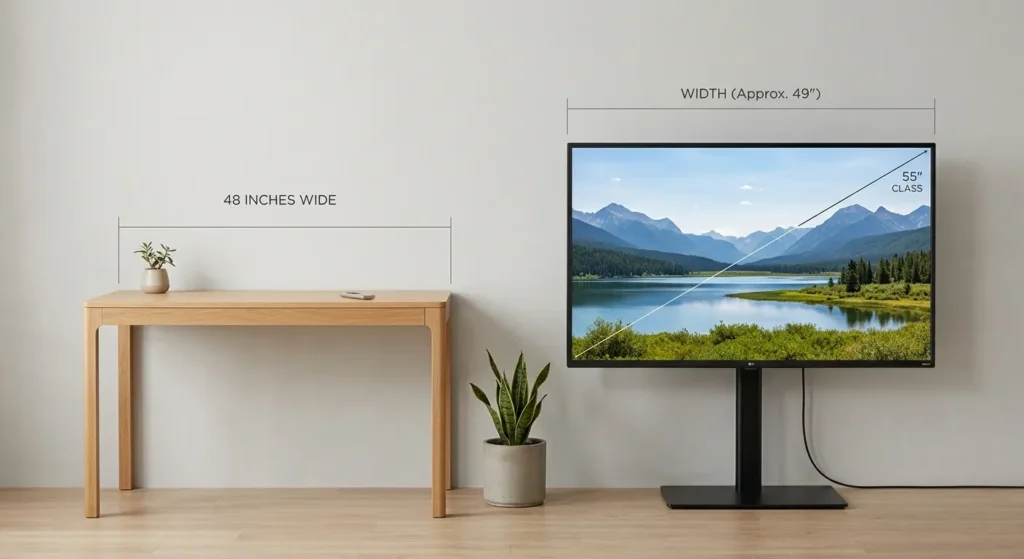
1. A Four-Foot-Wide Table
A table measuring 48 inches across is almost exactly as wide as a 55-inch TV screen. The screen is about 47.9 inches wide, just a fraction less than four feet.
A four-foot table is a convenient reference because it is a familiar furniture measurement. Actual table sizes vary, so use this as a visualization aid rather than a guaranteed standard.
Imagine the TV’s screen width matching the table’s full edge. Remember that the television has very little depth compared with the table, and its frame may extend slightly beyond the visible screen.
2. A Standard Interior Door
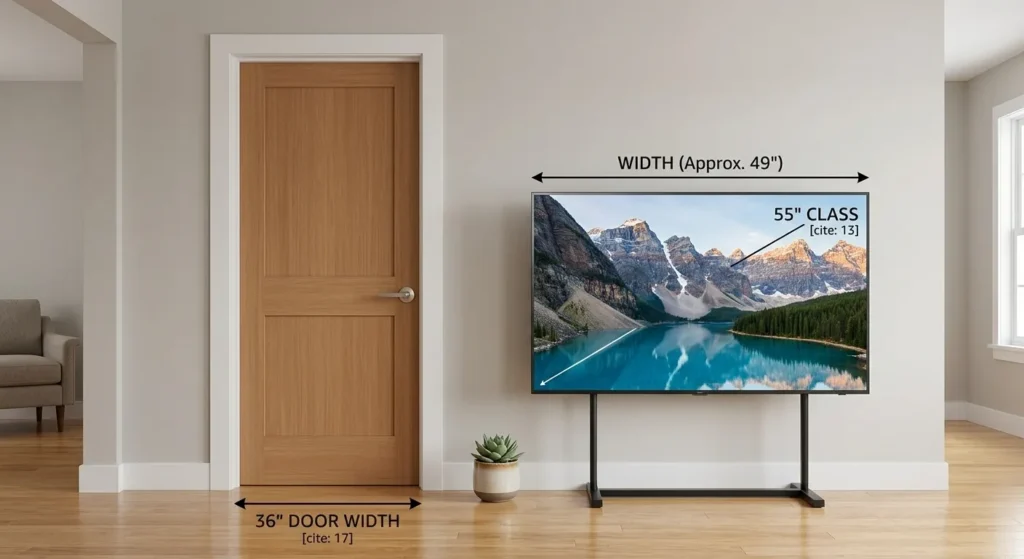
Many US interior doors are 30, 32, or 36 inches wide. A 55-inch TV screen at about 47.9 inches wide is wider than all three common examples.
Compared with a 36-inch door, the screen extends roughly six inches beyond each side if both are centered. That makes a door a useful reference for imagining the TV’s width.
Door sizes vary by country and building. If you’re checking whether a TV can pass through a doorway during delivery, measure the full television and the available passage rather than relying on its screen size.
3. US Letter Printer Paper
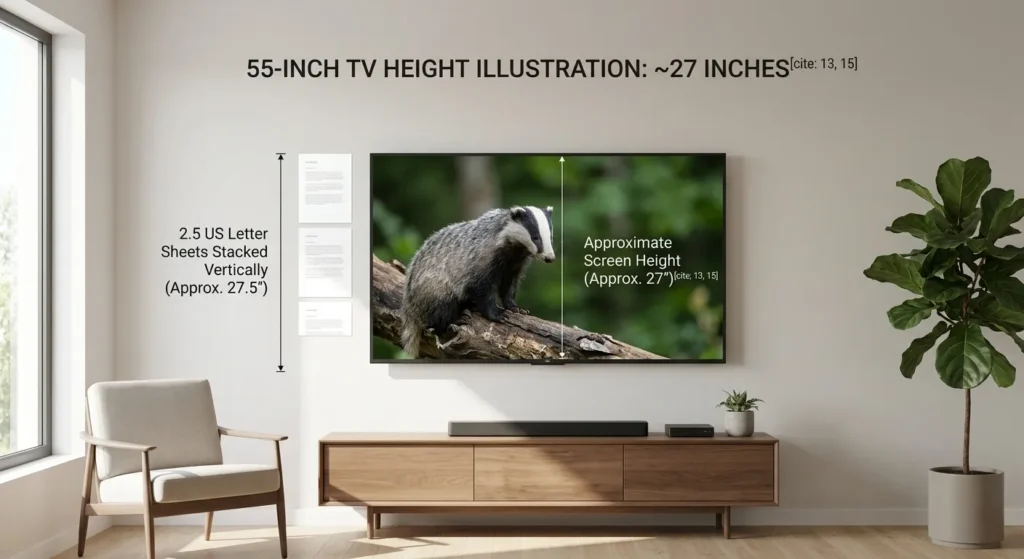
A standard US Letter sheet measures 8.5 inches wide by 11 inches tall. A 55-inch TV screen is approximately 27 inches tall, so its height is close to two and a half sheets stacked vertically.
Printer paper is a handy reference because its dimensions are standardized. You can use sheets to visualize the height, though this is not a substitute for measuring an actual wall.
The TV is also much wider than one sheet. Several sheets placed side by side would be needed to represent its width.
4. A Four-Foot Bookshelf
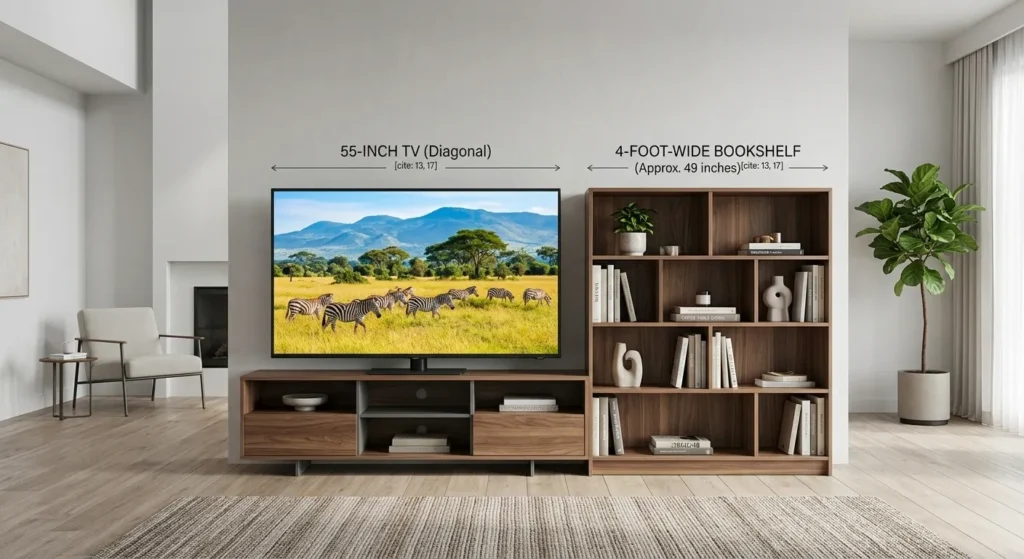
A bookshelf section measuring 48 inches wide is almost the same width as a 55-inch TV screen. This is particularly useful when planning a built-in entertainment area or a TV positioned between shelves.
Bookcases come in many sizes, and a product listing may give the overall unit width rather than the width of each shelf. Check the specific furniture measurements before making a purchase.
If the opening is exactly 48 inches, the screen may appear to fit, but the TV’s frame and installation clearance can change the result. Allow extra space rather than designing around the visible screen alone.
5. A Compact Desk
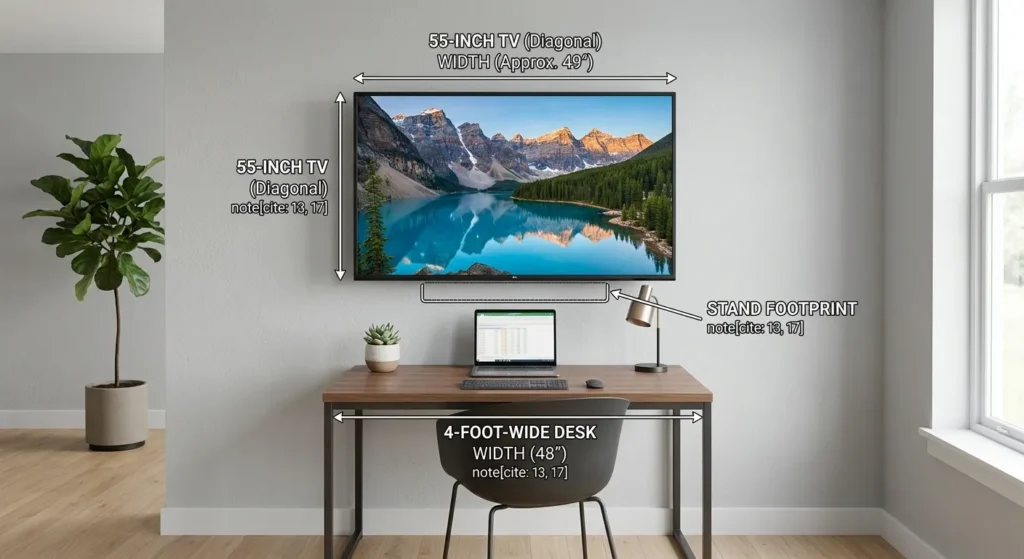
Compact desks often measure roughly 40 to 48 inches wide. That puts a 55-inch TV screen near the upper end of the range, at about 47.9 inches across.
The comparison helps you imagine the screen’s width, but it doesn’t mean the TV will sit safely on every desk in that range. Stand feet, weight capacity, depth, and stability all matter.
If you plan to use a TV as a computer display, check the manufacturer’s stand footprint and the depth of the desk. The screen can fit across the desk while the feet still extend beyond the usable surface.
6. A Twin Mattress
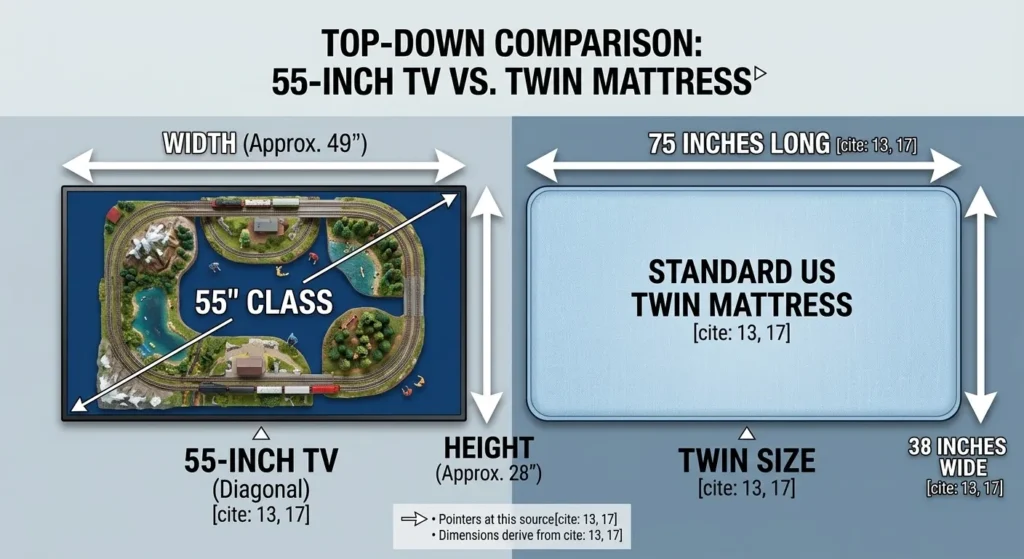
A standard US twin mattress is approximately 38 inches wide and 75 inches long. A 55-inch TV screen is wider than the mattress is across, but much shorter than its length.
This is a useful comparison because a mattress creates a large, familiar rectangle. The TV screen is about 10 inches wider than the mattress’s 38-inch width.
The objects have different orientations and uses, so this is only a size comparison. Mattress dimensions can also vary slightly by manufacturer.
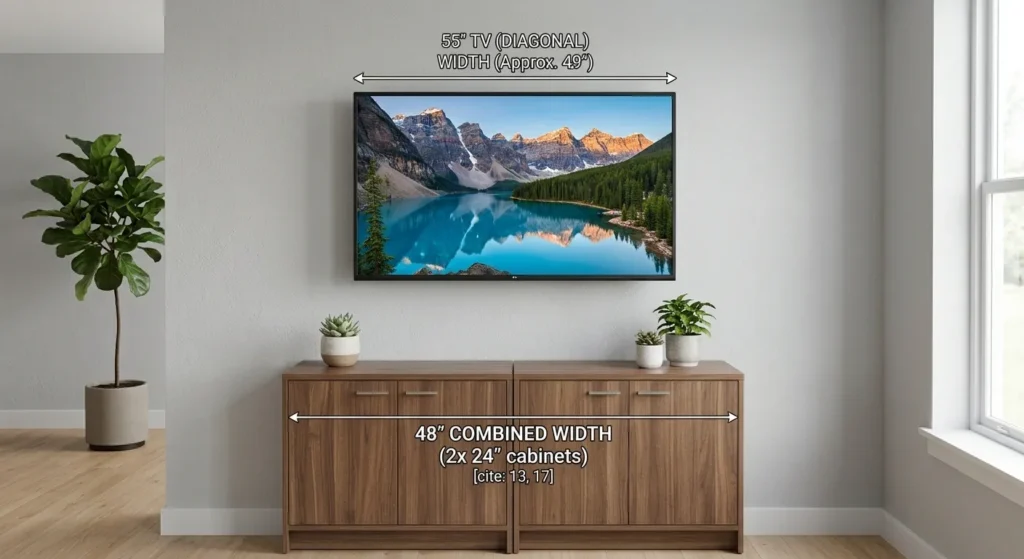
7. Two 24-Inch-Wide Cabinets
A compact cabinet can be around 24 inches wide. Put two such cabinets side by side and their combined width is 48 inches—almost exactly the width of a 55-inch TV screen.
This gives you a simple way to break a larger measurement into two smaller ones. The cabinets don’t have to be identical to help visualize the combined width.
For furniture planning, remember that cabinet width and TV width are not the only considerations. The television’s feet, center of gravity, and required clearance determine whether it can be safely supported.
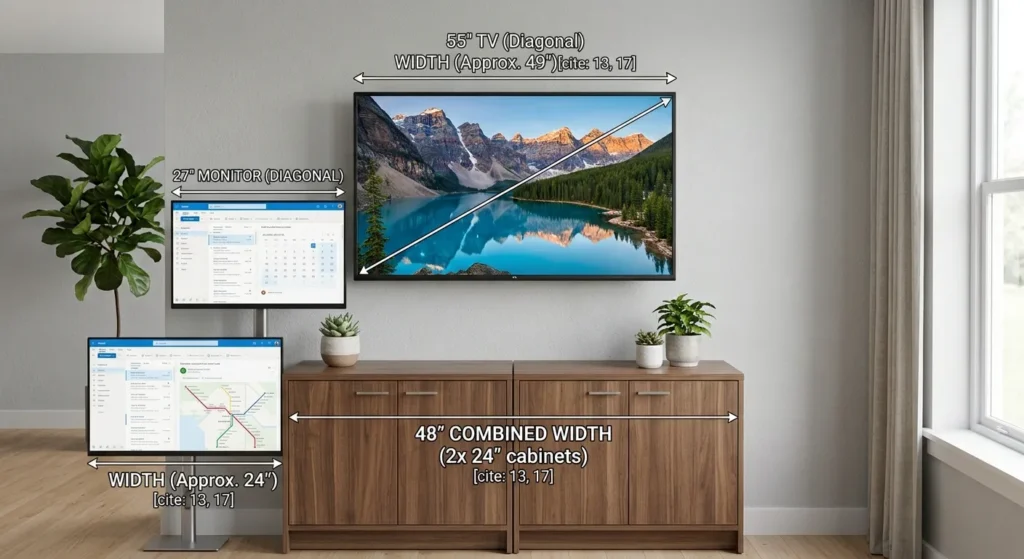
8. A 27-Inch Computer Monitor
A typical 27-inch monitor with a 16:9 screen is about 23.5 inches wide and 13.2 inches tall. A 55-inch TV screen is roughly twice as wide and just over twice as tall.
This side-by-side comparison makes the difference between monitor and TV sizes easier to picture. A television’s diagonal measurement may sound only a few times larger, but the total screen area grows considerably.
Some computer monitors use ultrawide aspect ratios, so their width and height can differ from the standard example. Compare the actual screen dimensions if you’re planning a multi-screen setup.
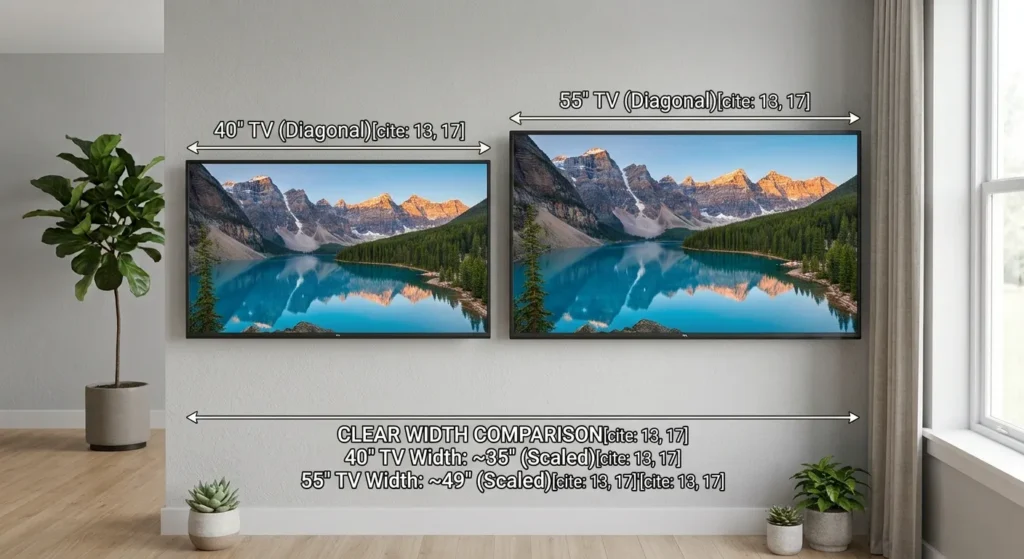
9. A 40-Inch TV
A 40-inch TV screen measures approximately 34.9 inches wide and 19.6 inches tall. A 55-inch screen is about 13 inches wider and more than seven inches taller.
The difference is noticeable when the televisions are next to each other. A 55-inch TV occupies considerably more wall area, even though the diagonal increases by only 15 inches.
This comparison is useful if you’re deciding whether to replace a smaller bedroom television with a larger model. Use painter’s tape to outline both screen sizes on the wall before choosing.
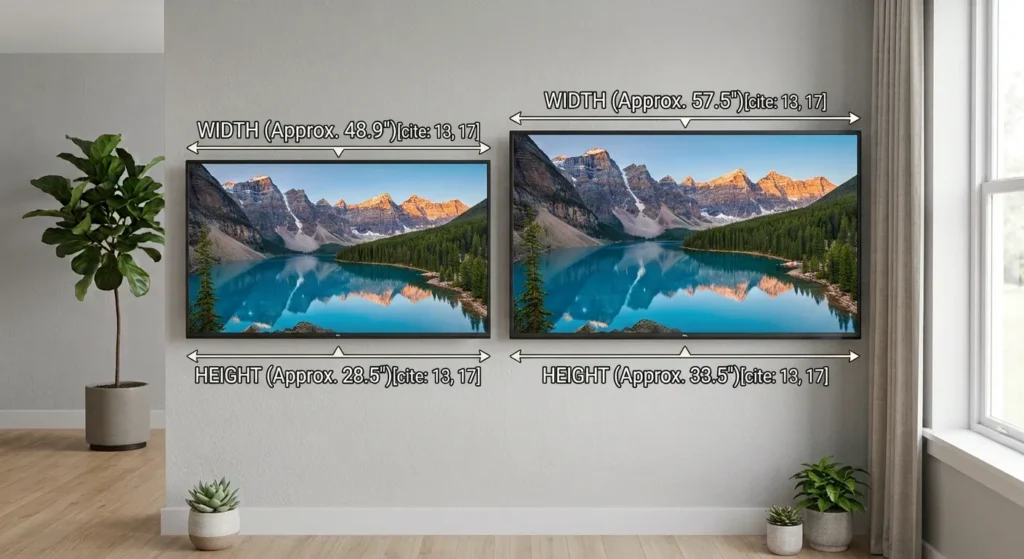
10. A 65-Inch TV
A 65-inch TV screen is approximately 56.7 inches wide and 31.9 inches tall. Compared with a 55-inch model, it adds nearly nine inches of width and five inches of height.
That extra screen area can make films and sports feel more immersive, depending on the room and viewing distance. It also takes up more wall space and may require a wider media unit.
If you’re choosing between these sizes, mark out the width and height of each screen with removable tape. Looking at the outline from your usual seat can be more helpful than comparing product photographs.
11. A 75-Inch TV
A 75-inch TV screen measures around 65.4 inches wide and 36.8 inches tall. Its width is roughly 17.5 inches greater than a 55-inch screen.
This size can become the main visual feature of a living room. Before buying one, check the wall width, viewing distance, stand footprint, and position of nearby shelves or windows.
A large TV may look smaller in a showroom with high ceilings and plenty of space. Outlining its dimensions at home gives you a more realistic sense of how it will fit.
12. An 85-Inch TV
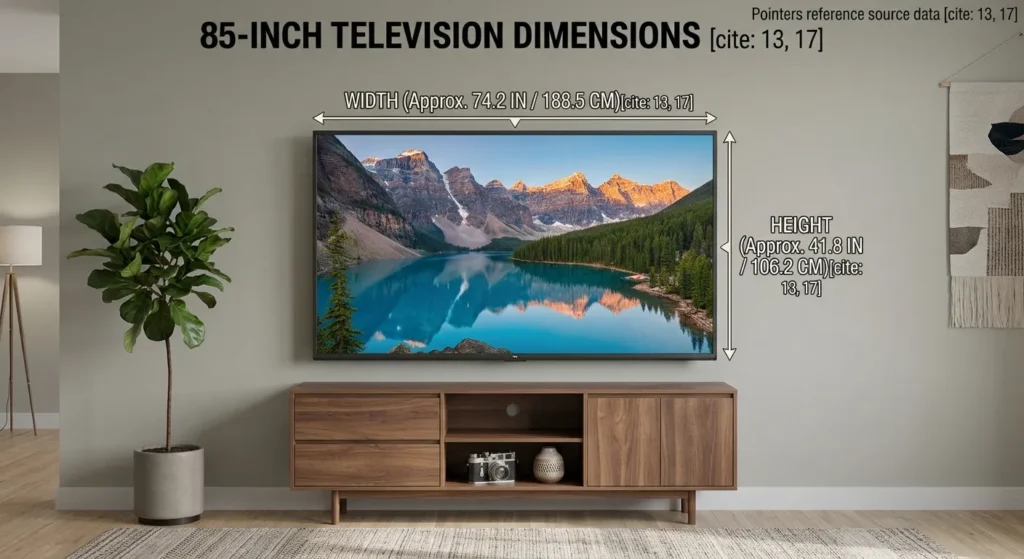
An 85-inch TV screen is about 74.1 inches wide and 41.7 inches tall. That makes it more than six feet wide and over three feet tall.
At this size, careful planning is essential. Check the wall, mounting arrangement, delivery route, and the manufacturer’s full outside dimensions before ordering.
A television can fit on a wall but still be difficult to bring through a narrow hallway or up a staircase. Measuring access points in advance can prevent delivery problems.
What Does a TV’s Inch Measurement Actually Mean?
The number in a TV’s name describes the diagonal length of its visible screen, measured from one corner to the opposite corner. It does not tell you the TV’s exact outside width, its total height with a stand, or the amount of wall space needed.
Why Isn’t a 55-Inch TV 55 Inches Wide?
Because the measurement follows the diagonal, a standard 55-inch 16:9 screen is about 47.9 inches wide and 27 inches tall. The diagonal crosses the rectangle, so it is longer than either side.
A screen with a different aspect ratio can have different width and height dimensions even if its diagonal remains 55 inches.
What Are the Actual Dimensions of a TV?
Actual dimensions depend on the model. The screen measurements in the table exclude the bezel, stand, and other external parts.
For wall mounting, check the manufacturer’s width, height, depth, and mounting-hole specifications. For a TV cabinet, check the distance between stand feet and the total height with the stand installed.
How Much Wall Space Does a TV Need?
A 55-inch screen is about 48 inches wide, while a 75-inch screen is approximately 65.4 inches wide. These figures are a useful starting point, but the full television may be slightly larger.
Leave enough space for the frame, cables, ventilation, and mounting hardware. The best clearance depends on the model and installation method, so follow the manufacturer’s instructions.
Estimating TV Dimensions Without a Tape Measure
You can estimate TV dimensions without a measuring tape, but treat these methods as rough planning aids. If the television must fit a cabinet, wall recess, or mounting bracket, verify the exact dimensions before purchasing.
1. Outline the Screen With Painter’s Tape
Use the dimensions in the table to mark a rectangle on the wall. For a 55-inch screen, start with an outline approximately 48 inches wide and 27 inches tall.
Stand in your normal viewing position to judge its size. Remember that this outline represents the screen, not the frame or stand.
2. Use Printer Paper
A US Letter sheet is 11 inches tall. Two sheets stacked vertically make 22 inches, which is a little shorter than the approximate 27-inch height of a 55-inch screen.
Adding about half a sheet gives you a rough visual reference. This method is not precise enough for installation, but it can help you picture the screen height.
3. Compare It With Furniture
If you have a table, desk, or bookshelf that is about four feet wide, compare that width with a 55-inch TV screen. The screen is roughly 47.9 inches wide, so it is nearly the same span.
Measure the furniture first if possible. Furniture sizes vary, and visual estimates alone can be misleading.
4. Check the Existing Television
If you’re replacing an old TV, measure its visible screen and full outer body separately. Compare the manufacturer’s listed dimensions for the old and new models.
A new TV with the same advertised diagonal may still have a different frame, stand arrangement, or depth. Check the product specifications rather than assuming the two sets will fit identically.
5. Use Your Phone for a Rough Reference
Some smartphones include augmented-reality measuring tools, and a ruler app may provide a rough estimate. Results can vary with the device, camera calibration, and how carefully you position it.
Treat phone-based measurements as approximate. For accurate furniture placement or wall mounting, use a physical measuring tape and confirm the manufacturer’s specifications.
TV Dimensions FAQs
How wide is a 55-inch TV?
A standard 16:9 55-inch TV screen is approximately 47.9 inches wide, or about 4 feet. The full television may be slightly wider once the frame is included.
How tall is a 55-inch TV?
The screen is about 27 inches tall, equivalent to 2.25 feet or 68.6 cm. The total height with a stand will be greater and depends on the model.
How wide is a 65-inch TV in feet?
A standard 65-inch TV screen is about 56.7 inches wide, which is approximately 4.73 feet or 1.44 meters. Check the product specifications for its full outside width.
What are the dimensions of a 75-inch TV?
A typical 16:9 75-inch screen is around 65.4 inches wide and 36.8 inches tall. The frame and stand are excluded from these screen measurements.
Is a TV measured across or diagonally?
TV screen sizes are measured diagonally, from one corner of the visible screen to the opposite corner. Width and height are separate measurements and are usually smaller than the advertised diagonal.
Will a 55-inch TV fit on a 48-inch stand?
The screen alone is about 47.9 inches wide, but that does not guarantee it will fit safely on a 48-inch stand. Check the TV’s stand-foot spacing, weight, and the furniture manufacturer’s recommended load and support area.
Are all TVs with the same screen size the same dimensions?
No. TVs with the same diagonal can have different frame widths, depths, stand designs, and aspect ratios. Compare the manufacturer’s exact specifications before buying.
How can I estimate TV size without a tape measure?
Use a known-size object, such as US Letter paper, or mark an approximate screen outline on the wall with painter’s tape. These methods are useful for visualization, but they cannot replace accurate measurements when fitting a TV into a specific space.
Where That Leaves You
TV dimensions are easier to understand when you separate the diagonal screen size from the actual width and height. A standard 55-inch widescreen TV has a screen about 47.9 inches wide and 27 inches tall, while a 75-inch screen is roughly 65.4 inches wide and 36.8 inches tall.
For a quick mental picture, remember that a 55-inch TV screen is almost four feet wide—about the width of a small table or bookshelf section. Before you buy, confirm the full dimensions of the exact model, including its frame and stand, so it fits your wall or furniture safely.

Jack Harrison is a passionate writer who creates informative, engaging and easy-to-understand content for online readers. He enjoys researching new topics and sharing practical insights that help readers discover useful ideas and information.


